Gateway reconnect storm
Symptom
One gateway (or one camera behind it) rapidly cycles through states. Live-view tiles for the affected cameras flash between playing and Reconnecting… about once a second. The cloud log shows a tight loop of peer connection state changed connecting → connected → closed and gateway logs show repeated StopStreamRequest followed immediately by a new stream start. Separately, a viewer may see the wrong camera’s frames on a tile — a HIK stream rendering Tapo content — which is the StreamID-collision variant of the same underlying issue.
Likely causes
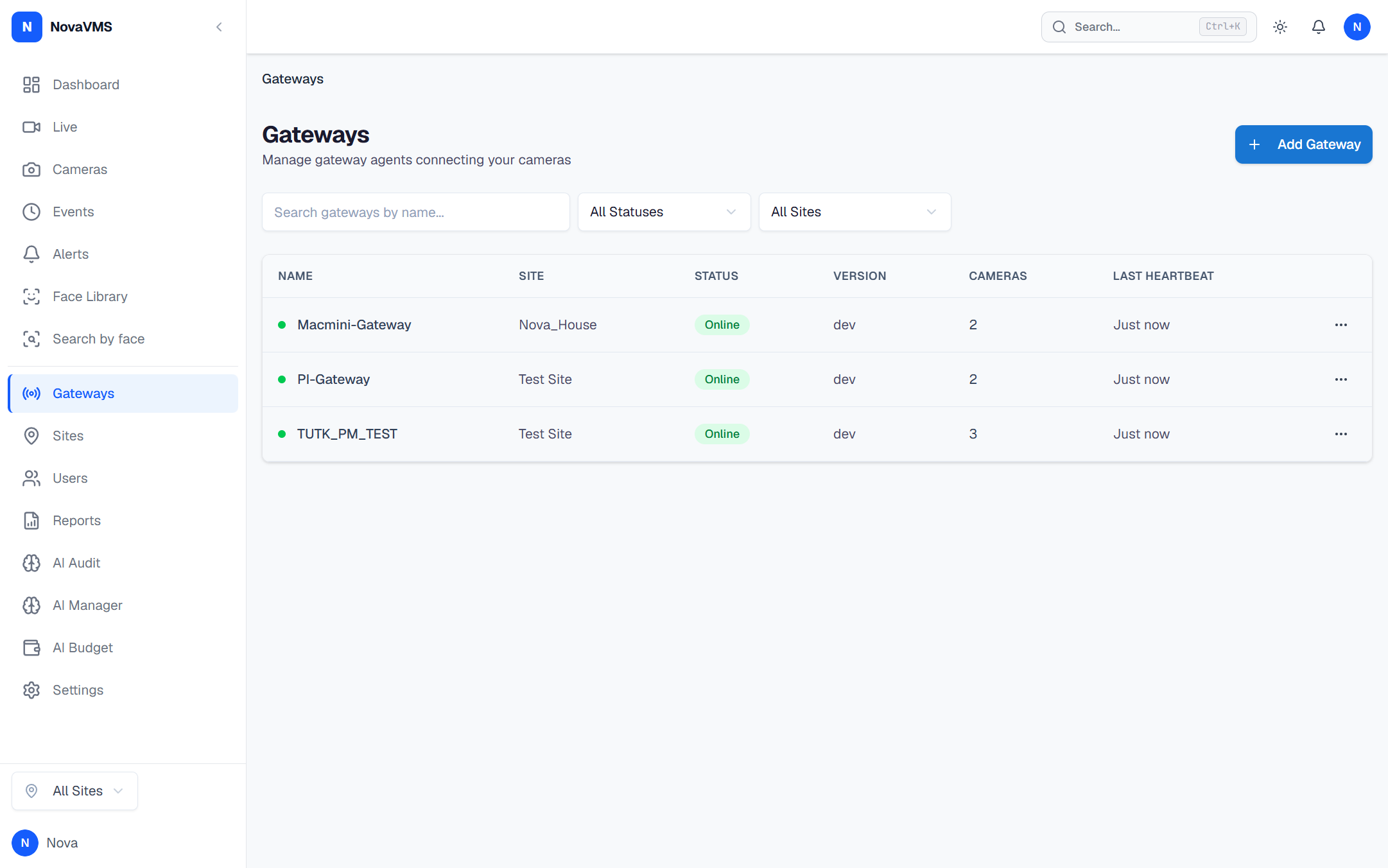
- Your gateway is on an older build than 2026-04-17. The cloud fix for cross-gateway StreamID collision landed on 2026-04-17 (commits
f404a91and6a293b5). Gateways from before that date can still present the symptoms in some multi-gateway deployments. See the 2026-04-17 session record for the full root-cause write-up. - A browser tab is repeatedly opening and closing signaling connections. The cloud’s WS dedup code force-closes the prior session each time, which the browser sees as a disconnect and retries. A circuit breaker now short-circuits this at ~4 failures in 15 seconds, but any gateway older than 2026-04-17 may not carry the full amplification fixes on the frontend.
- The camera itself is capping concurrent RTSP sessions. All 7 reference cameras in our fleet are
stream_mode=single— the camera firmware caps at 1–2 concurrent RTSP sessions. If something opens a second session, the first gets kicked, looking like a reconnect storm from the UI.
Fix
Step 1 — Check the gateway build date
SSH to the gateway host:
sudo systemctl show novavms-gateway --property=ExecStartnovavms-gateway --version- If the build date is 2026-04-17 or newer, skip to Step 3.
- If older, continue to Step 2.
Step 2 — Upgrade the gateway
Roll out the latest gateway build. For the exact rolling-upgrade procedure, see Upgrade the gateway firmware. After the upgrade:
- Restart the service:
sudo systemctl restart novavms-gateway. - Watch the logs for 2 minutes:
sudo journalctl -u novavms-gateway -f.
Step 3 — Verify the clean-reconnect signature in cloud logs
From a workstation with SSH to the cloud server:
"docker logs novavms-cloud --since 5m 2>&1 | grep -E 'stream ID collision|grace window'"- Zero
stream ID collisionlines in the last 5 minutes — the cloud-side fix is active; the storm is not caused by the 2026-04-17 bug. grace window started/grace window expiredlines present and balanced — the keep-alive grace window is absorbing transient browser flaps correctly.- Repeated
stream ID collisionlines — the fix did not take; escalate to support with the grep output.
Step 4 — If the storm is per-camera and the gateway build is current
The camera itself may be hitting its concurrent-session cap. Look for anything else connecting to the camera (a VMS trial on another server, an RTSP test tool, go2rtc on a second gateway). Make sure only one NovaVMS gateway is registered to each camera.
Verify
- Live-view tiles for the affected cameras stop flashing Reconnecting… and stay rendered.
docker logs novavms-cloud --since 5mon the cloud server shows zerostream ID collisionlines.- Gateway logs show clean
stream_startfollowed by sustainedframe_forwardedentries, notstream_start→ immediatestream_stoploops. chrome://webrtc-internalsshows a single stable PeerConnection per tile, not a series of short-lived ones.
If none of this worked
Collect a 2-minute window of both logs while the storm is happening:
# On the gateway hostsudo journalctl -u novavms-gateway --since "2 minutes ago" --no-pager > gateway-storm.log
# On the cloud hostdocker logs novavms-cloud --since 2m > cloud-storm.log 2>&1
Attach both logs, the gateway ID, and the affected camera IDs to a ticket at support.novalien.com.
See also: