Create a site
A site is a physical location — a building, a shop, a warehouse. Every camera and gateway belongs to exactly one site. You create a site before you add the cameras at that location so Viewer scoping, per-site retention, and site filters all work from day one.
Prerequisites
- Admin or Owner role. Operators and Viewers cannot create sites.
- A name you’ve agreed on internally. Renaming later is allowed but breaks external runbooks that cite the old name.
Procedure
Step 1 — Open the Sites page
- Open Admin → Sites from the left nav.
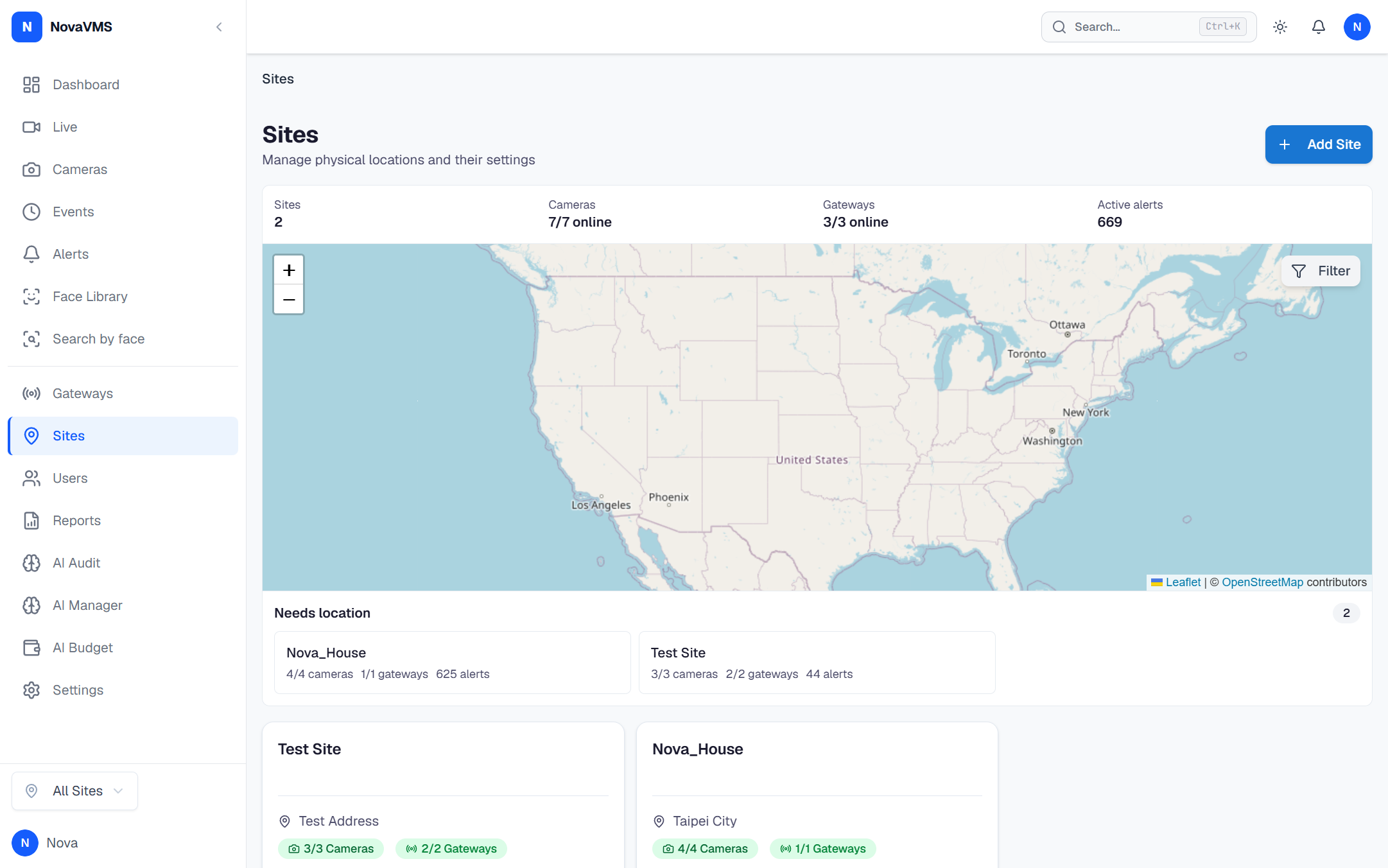
- Click Create Site.
Step 2 — Fill in the site details
- Enter the Name (required), unique within the org. (Name length is enforced as “non-empty” only — pick a name your team can disambiguate; the partial unique index
idx_sites_org_name_active_uniqueis case-insensitive and applies to non-deleted sites.) - Enter the Address (optional). Free-text, displayed on the site card and detail view.
- Pick the Timezone (optional). Defaults to the org timezone. This drives alert rule schedules evaluated for this site.
- Enter Latitude and Longitude (optional). Used by map views in future releases; safe to leave empty today.
- Set Retention days (required, default
30). Allowed range is 7–365. Clips and events older than this are purged by the retention job. Starred events are exempt. See Clip retention policy for the full rules.
Step 3 — Save
- Click Create.
- NovaVMS writes the site, returns the new record, and refreshes the site list. An audit entry
site.createdis written with your user ID as the actor.
Verify
- The site appears on the Sites page and in the site selector at the top of the left nav.
- Filtering by the new site on Cameras or Events returns zero rows — expected, no cameras exist there yet.
- The audit log (Admin → Audit Log) shows a fresh
site.createdentry attributed to you.
Common variations
- Duplicate name: NovaVMS returns 409 and shows “A site with this name already exists.” Pick a different name or rename the existing site first.
- Non-admin attempt: the Create Site button is hidden for Operators and Viewers; API calls return 403.
- Import sites in bulk: no UI for that in v1. Create sites one at a time, or script against
POST /api/v1/sites— see the API reference in Developer → API.
Related
- Manage a user’s site access — scope Viewers to this site
- Clip retention policy — how
retention_daysdrives cleanup - Org scoping — how org, site, and user access fit together