Export the audit log
NovaVMS keeps audit log entries for 90 days (US-AUTH-18) — after that the retention job purges them. If your compliance regime needs a longer horizon, export to CSV before the window closes and keep the file in your evidence vault. Exports always respect your current filter set, so dial the filters in before you click.
Prerequisites
- Admin or Owner role. Operators and Viewers cannot access the audit log.
- A filter set that matches what you need. Exporting with no filters pulls every entry in the current 90-day window, which can be tens of thousands of rows.
Procedure
Step 1 — Narrow to the entries you need
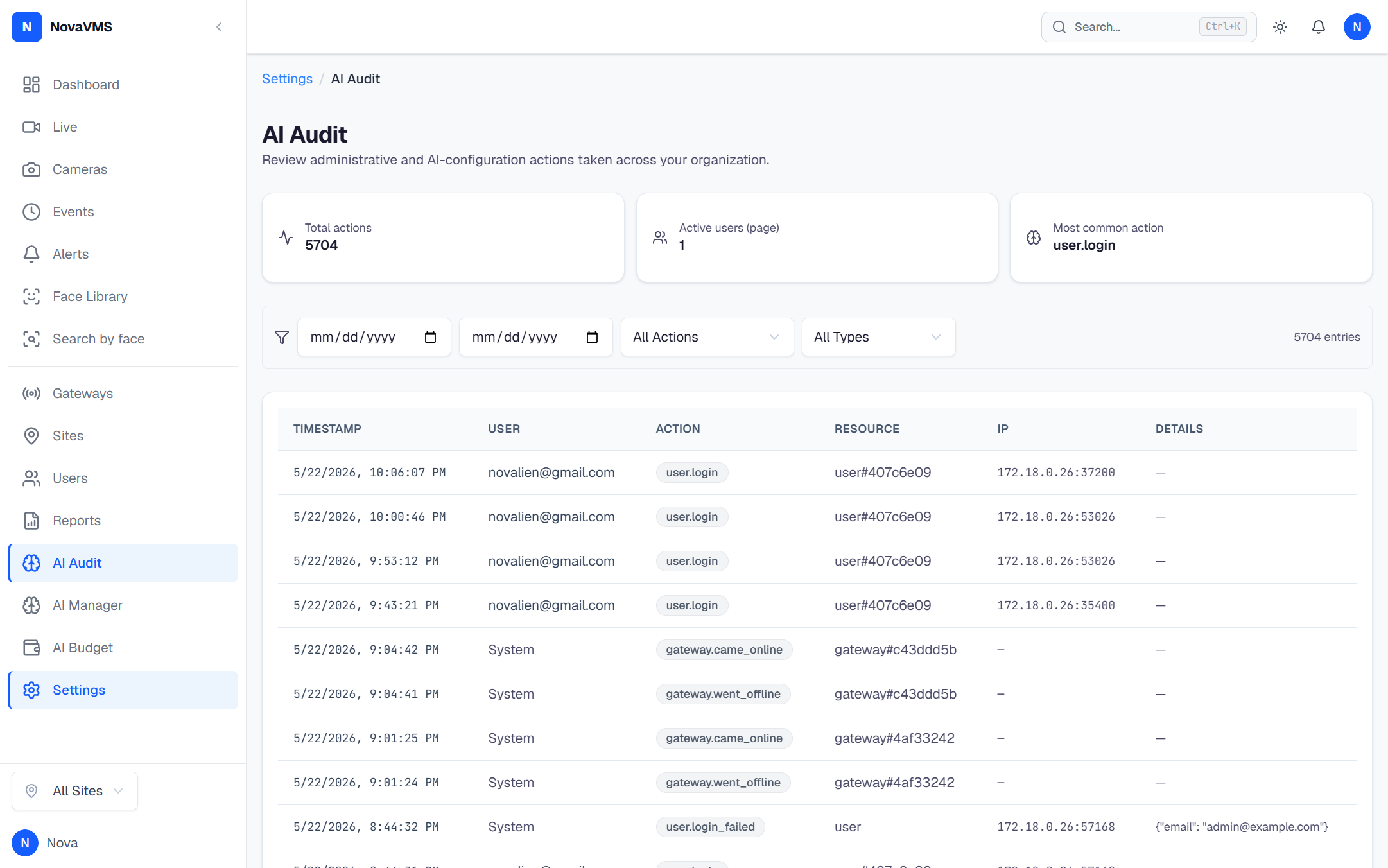
- Open Admin → Audit Log from the left nav.
- Apply filters from the filter bar:
- Date range — start and end date. For compliance evidence, set this to match the audit period.
- Actor — the user or service account who performed the action.
- Target type —
user,site,camera,gateway,alert_rule,webhook, etc. - Action — for example
user.disabled,webhook.secret_rotated,platform.impersonation_started.
Step 2 — Run the export
- Click Export CSV in the page header. The button reflects the filter state: it exports exactly what you see.
- NovaVMS streams the CSV. Large exports download in chunks — a multi-megabyte file is normal for a full 90-day pull.
CSV columns
| Column | Example | Notes |
|---|---|---|
timestamp | 2026-04-20T14:31:07Z | ISO-8601, UTC. |
actor_email | [email protected] | Empty for service-account actions. |
actor_type | user | user, platform_admin_impersonating, or service_account. |
action | user.role_changed | See Audit actions for the full enum. |
target_type | user | The kind of resource affected. |
target_id | 5e3c… | UUID of the affected resource. |
changes | {"role":{"from":"viewer","to":"operator"}} | JSON diff. Password-like fields are redacted. |
ip_address | 192.0.2.14 | Source IP of the actor’s request. |
user_agent | Mozilla/5.0 … | Browser or API client string. |
Verify
- The file opens in a spreadsheet. The header row matches the table above.
- Row count equals the total shown at the bottom of the filtered audit log page.
- Entries in the file all fall inside your date-range filter.
Common variations
- Monthly compliance pack: filter to the previous calendar month on the 1st of each month and export. NovaVMS only keeps 90 days internally — monthly exports give you a rolling archive (US-AUTH-18, 90-day retention).
- Investigate a specific user: filter by that user as Actor, widen the date range, export, review in your preferred tool. The full detail lives in the
changescolumn. - Platform support session review: filter action to
platform.impersonation_started. Each entry links — viaimpersonation_id— to all the downstream actions taken during the session. See Scoped impersonation.
Related
- Review the audit log — how to search before you export
- Audit actions — every action name and what it means
- Clip retention policy — retention windows across NovaVMS (audit log is 90 days, fixed)