Export users to CSV
Export gives you a one-click snapshot of who has access to your org and in what role. The columns match Bulk-import users from CSV, so the file round-trips: export, edit in a spreadsheet, re-upload. Passwords are never included — export is safe to open, but it still contains email addresses and display names, so handle it as personal data under your retention policy.
Prerequisites
- Admin or Owner role. Operators and Viewers cannot export users.
- At least one user in the org. Exporting an empty org produces a header-only CSV.
Procedure
Step 1 — Open the Users page
- Open Admin → Users from the left nav.
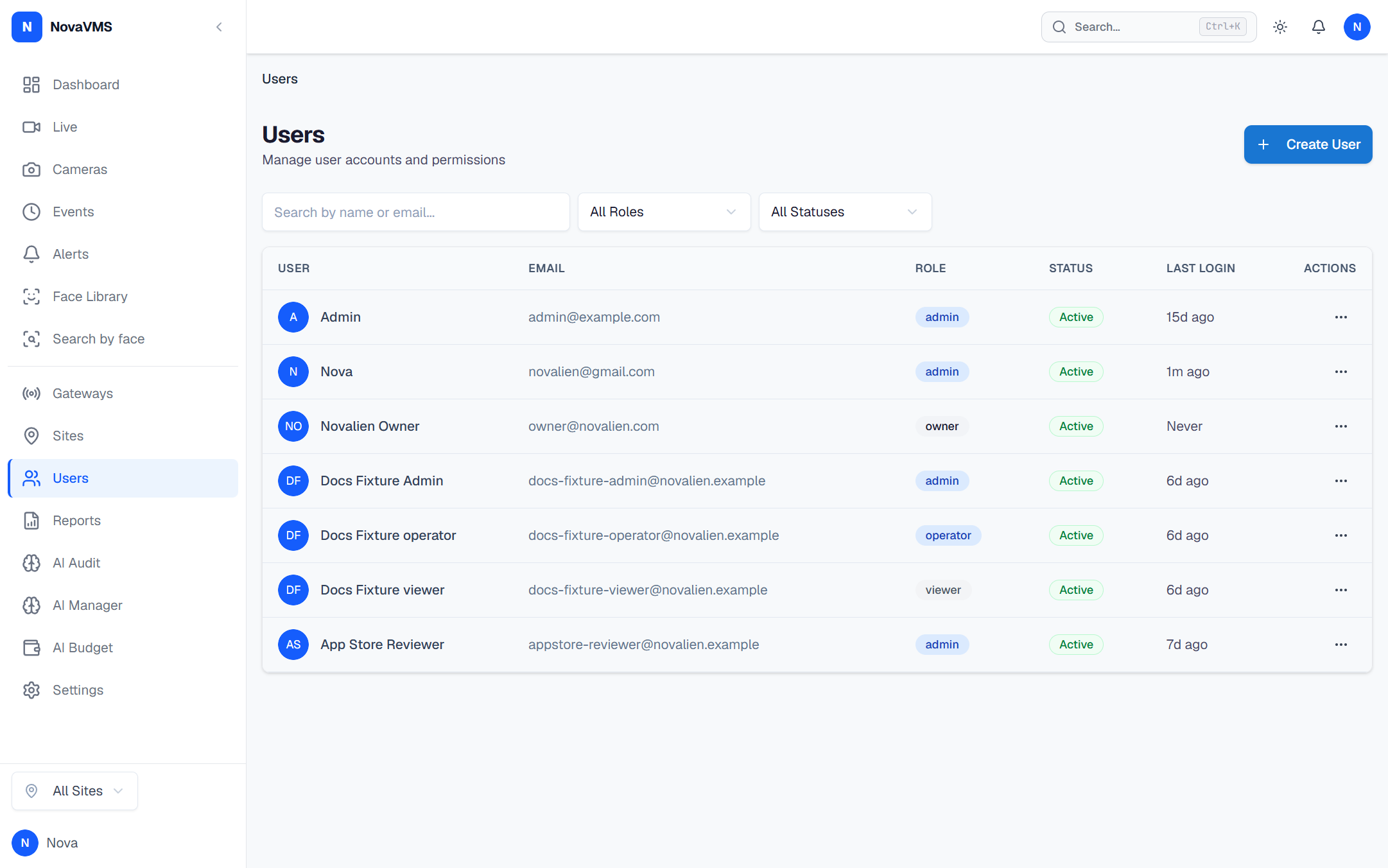
Step 2 — Run the export
- Click Export CSV in the page header.
- Your browser downloads
novavms-users-{org_slug}-{YYYY-MM-DD}.csv. The file is UTF-8, comma-delimited, quoted where needed.
CSV columns
| Column | Example | Notes |
|---|---|---|
email | [email protected] | Lowercased. |
display_name | Jane Smith | What appears in the UI and audit log. |
role | admin | One of owner, admin, operator, viewer. |
status | active | active or disabled. Disabled users are still exported. |
last_login | 2026-04-20T14:31:07Z | ISO-8601, UTC. Empty if the user has never logged in. |
sites | Head office;Warehouse 2 | Semicolon-separated site names. Populated only for Viewers — other roles have implicit org-wide access (D78). |
Verify
- Open the file. The header row matches the table above.
- Row count equals the user total shown at the bottom of the Users page.
- The audit log (Admin → Audit Log) has a fresh
user.exportedentry attributed to you. Export is audited so you can prove who pulled the list when.
Common variations
- Round-trip after editing: open the CSV in a spreadsheet, add or remove rows, save as UTF-8, and upload via Bulk-import users from CSV. Existing users are skipped with
duplicate_email; new rows are created. - Export a filtered subset: no UI filter in v1 — export the whole file and filter in your spreadsheet tool. The underlying endpoint is
GET /api/v1/users?format=csvif you want to script a filtered export. - Export is rejected with 403: your role is Operator or Viewer. User management is Admin or Owner only (D81).
Related
- Bulk-import users from CSV — the other half of the round-trip
- Export the audit log — separate CSV for security events
- Roles and permissions