Acknowledge or resolve an alert
NovaVMS tracks each alert through a three-state lifecycle (D68): open → in_progress → resolved. Any state can transition to any other state — there is no sequential enforcement. Acknowledge an alert when you are handling the incident; resolve an alert with an optional resolution note when the work is done (a false positive is just “resolve with a note like false positive, branch in wind”). Both actions are logged in the alert_timeline table and surfaced via GET /api/v1/alerts/{id}/timeline.
Procedure
- Open Alerts from the left nav, or click the bell badge in the top bar.
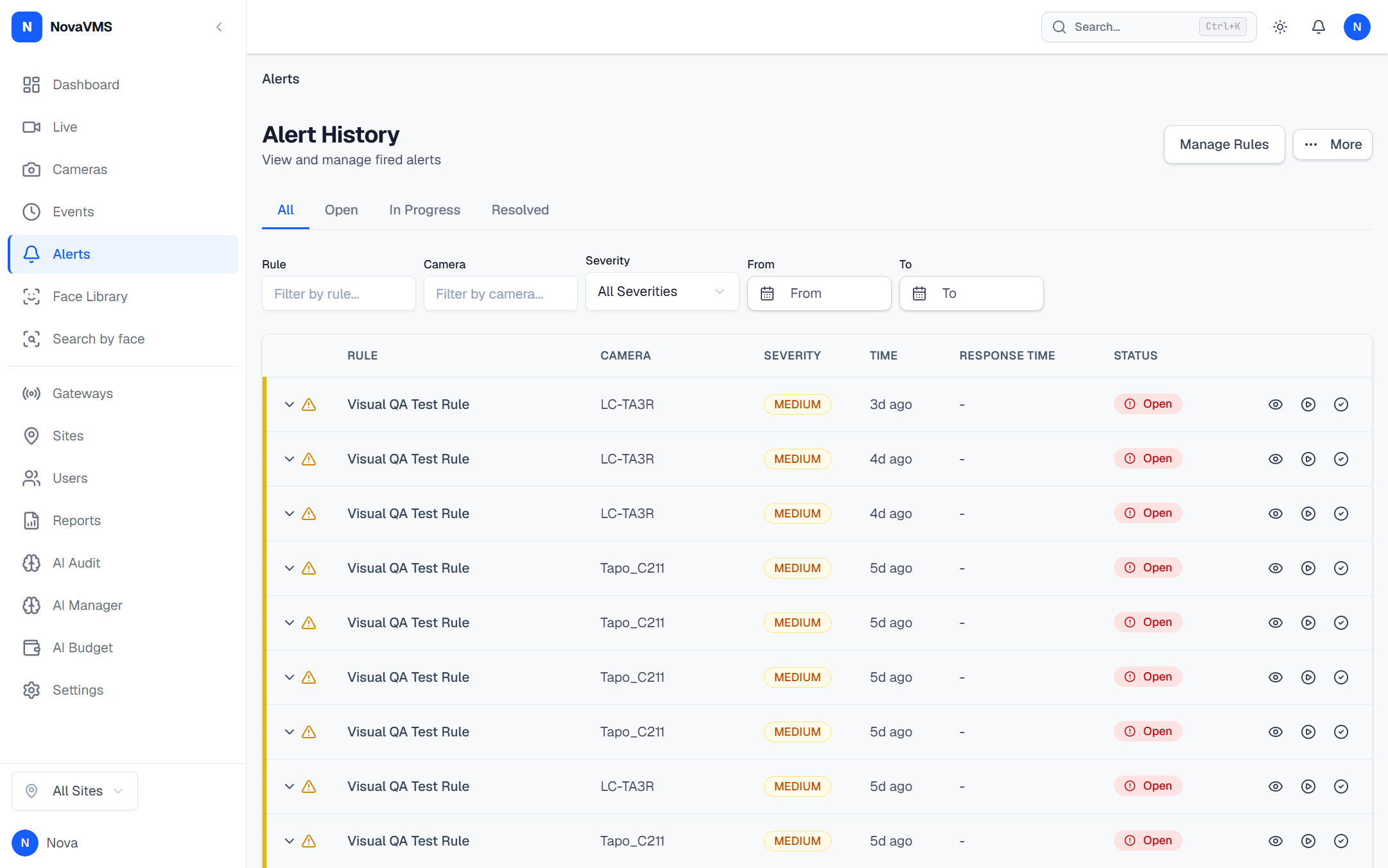
- Click the alert row to open its detail panel.
- Choose an action:
- Click Acknowledge to flip the legacy
acknowledgedflag (PATCH /api/v1/alerts/{id}/acknowledge, operator+). This also transitions the alert’s lifecycle status fromopentoin_progress(cloud/internal/alerts/pg_alerthistory_repo.go:209) but does NOT add analert_timelinerow — only the/statusendpoint writes timeline entries. Use this for the simple “I’m on this” signal; prefer Mark in progress + an explicit note when you want a timeline trail. - Click Mark in progress (status →
in_progress) when you are actively investigating. - Click Resolve (status →
resolved) with an optional resolution note (max 500 chars) when the work is done. Use this for false positives, real incidents that are now closed, or duplicates.
- Click Acknowledge to flip the legacy
- (Optional) Add a short note when resolving — useful for shift handovers and root-cause review.
- The alert moves into the new status. The timeline log records
from_status → to_statuswith your user_id, the optional note, and the timestamp. Viewers can read the timeline for any alert at a site they have access to.
Common variations
- When to acknowledge vs resolve:
acknowledgedflag (boolean) — “I noticed it”, legacy convenience signal. Does not change the lifecycle state.in_progresslifecycle state — “I’m actively investigating”. Use this for hand-offs.resolvedlifecycle state — “Work is done.” Add a note explaining why (real incident closed / false positive / duplicate).
- Reverse a transition: open the alert and
PATCH /api/v1/alerts/{id}/statusback toopen. The new transition is logged separately in the timeline. There is no dedicated “Un-acknowledge” endpoint in v1 (audit GAP-7-29). - Bulk operations: the v1 API does not have a bulk-ack or bulk-status-change endpoint (audit GAP-7-28). The “Ack all visible” dashboard widget described in earlier drafts is not implemented; clear alerts one at a time, or via repeated PATCH calls.
If this didn’t work
- Acknowledge / Mark in progress / Resolve buttons greyed out — the alert is already in that state, or your role is below operator. Hover for the tooltip.
- Status revert — the lifecycle state machine allows any transition, so a “regressed” state simply records a new timeline row. No data is lost.
- Alert reappears after resolution — the rule re-fired against a new event. NBD’s notification-group window (3h default) suppresses look-alike events on the same camera + rule, but a sufficiently novel event will create a new alert row. See Alerts fire too often.
Related
- Alert rules — predicates, scope, schedule
- Alert response metrics — how the delayed pipeline feeds the supervisor dashboard
- Review an event — every alert links to its triggering event