Share a clip as a time-limited link
Use this procedure when you need to send an event clip to a colleague, law enforcement officer, insurance adjuster, or anyone else who does not have a NovaVMS account. You generate a link; they click it and watch the clip in their browser.
Procedure
- Open the Events page.
- Click the event whose clip you want to share.
- On the event detail page, click Share.
- Choose how long the link stays active: 1 hour, 24 hours, 7 days (default), or 30 days.
- Click Create link.
- Click Copy link.
- Paste the link into your email, chat, or ticket.
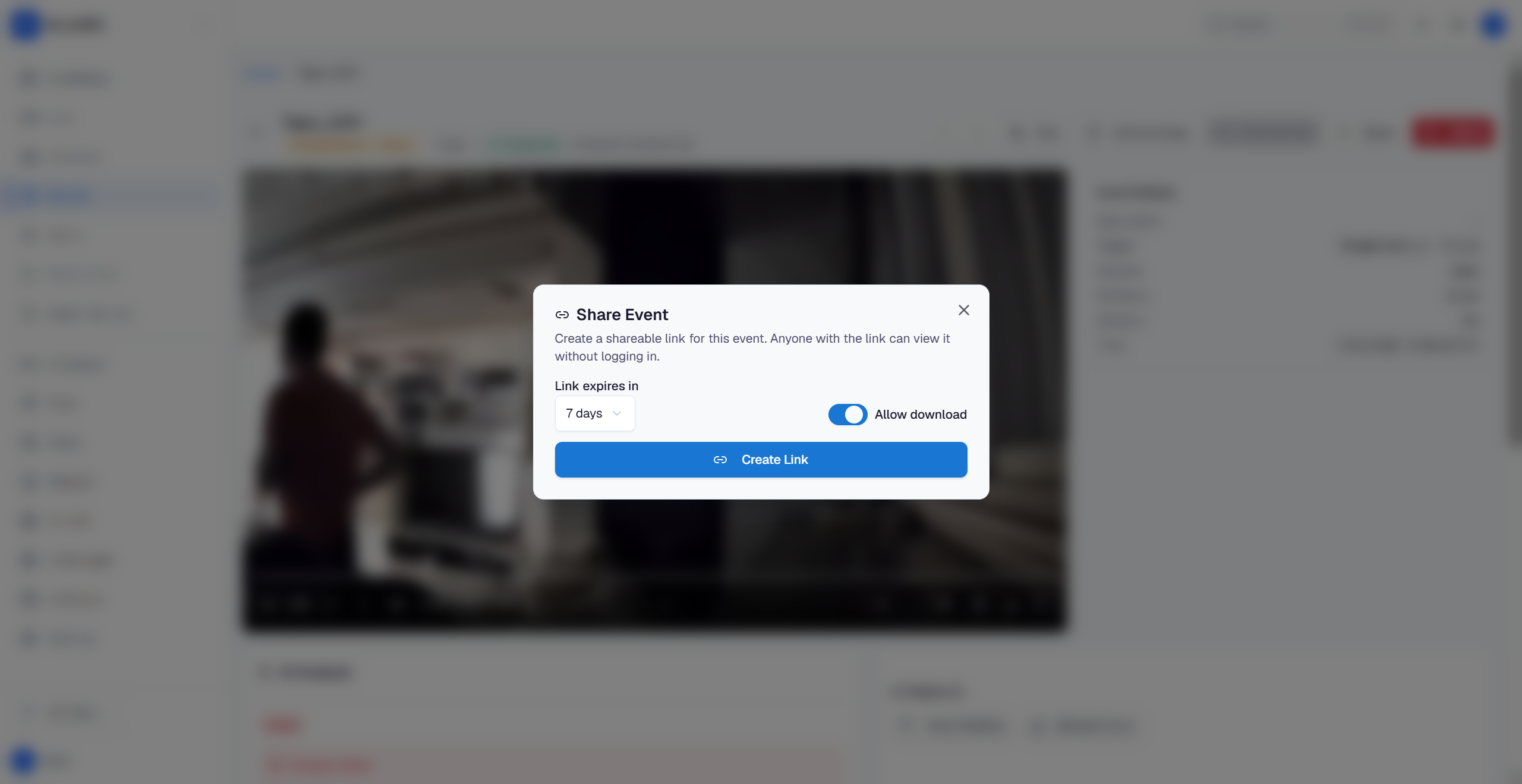
The recipient sees a page with the camera name, timestamp, AI description, and a player with play, pause, scrub, speed, and fullscreen controls. The Share dialog has an Allow download toggle (frontend/src/components/ShareDialog.tsx:165) which defaults to ON (ShareDialog.tsx:60) and is forwarded to POST /api/v1/events/{eventId}/shares as the allow_download field (ShareDialog.tsx:77). When download is allowed, the shared page shows a download button alongside the player; when disabled, recipients can only stream in-browser.
What is logged
Every share writes a row to the per-share access log: who created it, expiry, and the link token (action share_created). Each time a recipient opens the link, a viewed row is appended with the recipient’s IP address and User-Agent. Admins can call GET /api/v1/events/{eventId}/shares/{shareId}/audit to retrieve the log; the central Audit log actions page records share-management actions at the org level.
Common variations
- Change expiry after creation: you cannot. Revoke the existing link and create a new one.
- Revoke a link early: supported. Open the event’s Shares list and click Revoke next to the share, or call
DELETE /api/v1/events/{eventId}/shares/{shareId}. The link starts returning 410 Gone immediately; recipients who already loaded the page can finish their current playback but new fetches against the token fail.
If this didn’t work
- If Share is missing from the toolbar, the event’s clip did not finish uploading. Wait for the clip player to load, then refresh the event page.
- If the recipient sees “This link has expired,” create a new link with a longer expiry.
Related
- Export a clip as evidence — use this instead when you need a tamper-evident MP4 file, not a link.
- Audit log actions — what share events look like in the log.